What you leave out of the brief, your designer has to guess.
That’s where remote design collaboration can get frustrating. You know the campaign’s backstory and what your stakeholders expect. Your designer only knows what you’ve shared. When that context stays in your head, you can end up reviewing work that follows your instructions but misses what you actually needed.
Help your remote design team understand what you need before they start. These steps save time by reducing repeated instructions and revision delays.
Three common challenges in remote design collaboration
Working with a remote design team comes with a few challenges. Here are some of the most common ones to watch out for.
Communication
Good communication matters on any design project, but it matters even more when your team works remotely.
Start by deciding where project communication should happen. You might use chat for quick questions and a project management tool for briefs, feedback, and approvals. Make sure decisions are recorded with the relevant project so no one has to search through separate conversations.
It also helps to set a few boundaries early on. Let your designers know when you’re available and who they should contact with questions.
Time zones
Different working hours can slow a project when a designer needs an answer to keep going. Agree on feedback deadlines and identify any overlapping hours you can use to resolve questions together.
Project management tools like ClickUp or Asana let everyone see tasks and deadlines in one place. That means your designer can keep working even when you’re offline.
Ask your designers to leave a short update before signing off so you know what’s done and where they need your input. For any deadlines, include the date and time zone to avoid confusion.
Unclear briefs
Designers aren’t mind readers. Incomplete or vague briefs can disrupt work and delay both the designer and the business. The common phrase “I’ll know it when I see it” wastes everyone’s time and your budget.
Give your remote design team a clear design brief with the key details they need to get started. For example, here at Design Force, clients send briefs to a dedicated project manager and align on scope, priorities, and deadlines before work begins.
The same goes for feedback. Explain in detail what needs to change and why. The clearer your feedback is, the easier it is for your designer to get it right.
Best practices for successful remote design collaboration
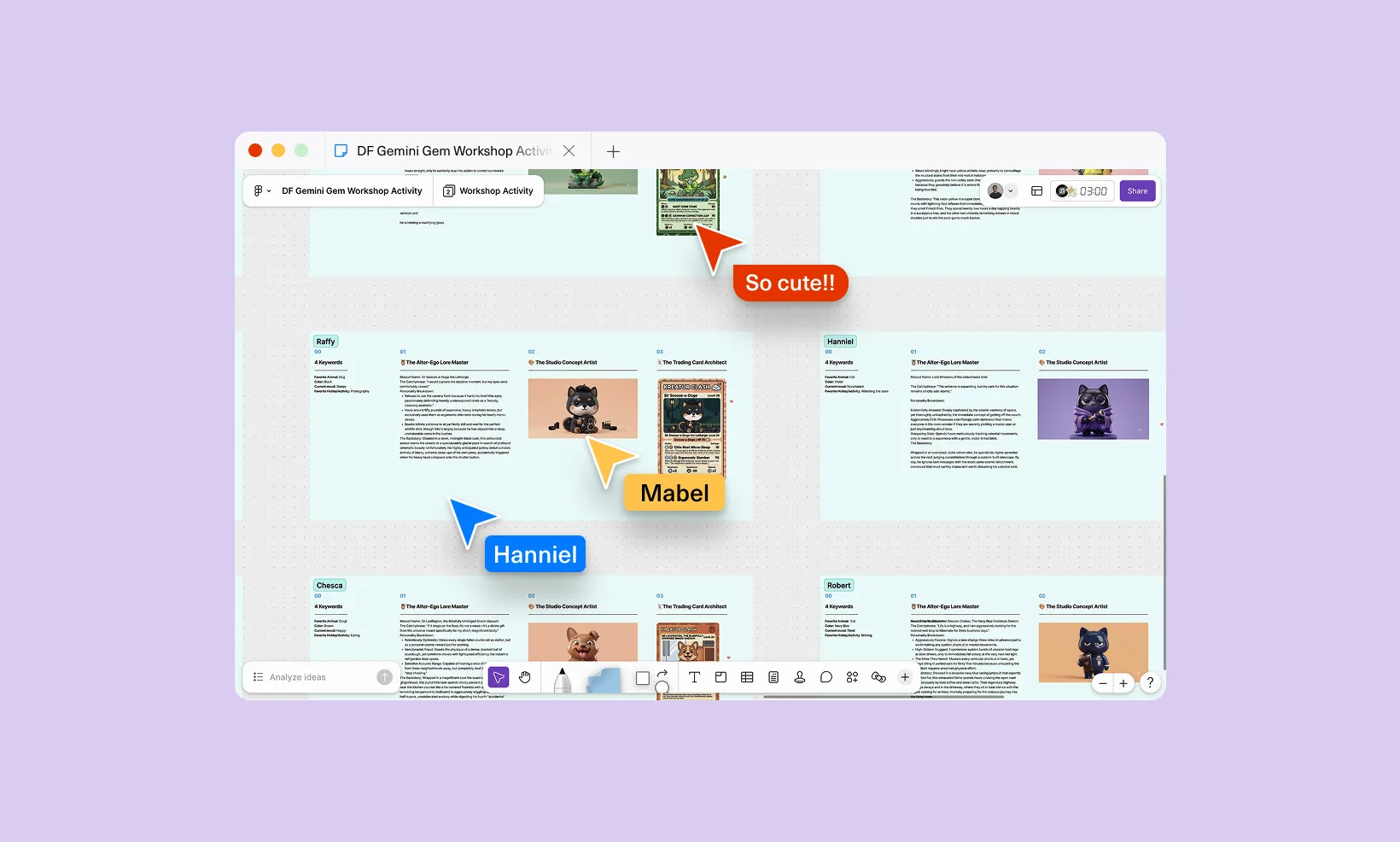
Before your designers start, make sure they know what the project needs to achieve. Decide where questions and feedback belong so nobody has to guess where to look.
Keep project information together
Use one shared project space for the brief, current design files, feedback, and decisions. Link to the latest version and label approved files clearly so everyone knows which work is ready to use.
You can still use different tools for different tasks. The important part is making the current project status easy to find.
Make feedback specific and actionable
“Make it pop” gives a designer little direction. A comment such as “The headline needs more contrast so readers notice the offer first” explains both the problem and the intended outcome.
Collect stakeholder comments into one review before sharing them to the designer. Clearly label which changes must be made and which are optional suggestions. If any requests conflict, agree on what to follow before starting the next revision.
Use check-ins to resolve questions
Regular check-ins can help surface blockers, but every update doesn’t need a meeting. Use written updates for progress reports and save live conversations for decisions that need discussion.
For example, a short call may help resolve conflicting feedback. Once you’ve reached a decision, record it in the project space so anyone who missed the call can catch up.
Protect time for focused design work
Once work is underway, give your designers room to focus. Microsoft’s 2025 Work Trend Index found that 80% of surveyed knowledge workers lacked enough time or energy to do their jobs. The analysis also found that the 20% of Microsoft 365 users receiving the most pings received a meeting invite, email, or chat roughly every two minutes on average during an eight-hour workday.
Agree on review windows so designers know when to expect feedback and reviewers know when their input is needed. Avoid sending changes across several channels throughout the day.
At each handoff, confirm the next action and who owns it. A clear next step is more useful than another status message.
Real-world examples of remote design collaboration
Remote collaboration works best when teams deliberately organize how information and decisions move between people.
Atlassian: Help work move forward while teammates are offline

Atlassian’s guide to asynchronous communication explains how teams can share ideas, plan projects, and give updates without always meeting live.
For your remote design team, the takeaway is simple: give designers what they need to keep working while you’re offline. Explain the goal in the brief, save decisions with the design file, and say when feedback is due. Ask everyone to leave comments before a review meeting so you can spend the call resolving questions.
Design Force: Make it clear who handles what
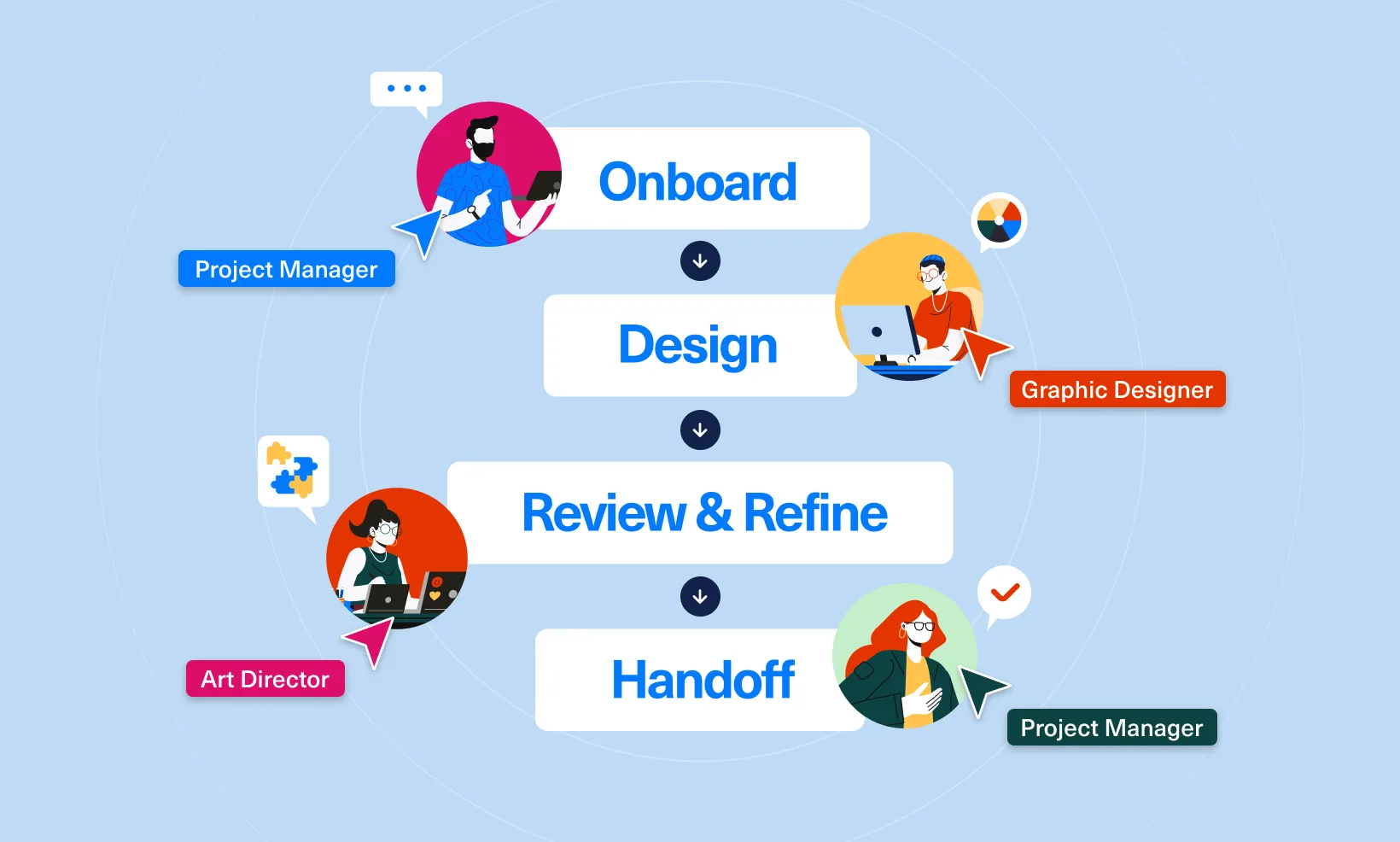
At Design Force, our workflow gives everyone a clear role. Clients share the brief and agree on priorities and deadlines with their project manager. An art director guides the design and checks it against brand guidelines before it reaches the client.
We’ve supported teams like HubSpot, whose marketing team credits the partnership with keeping creative consistent across campaigns and regions.
The lesson for your remote design team? Agree on responsibilities early. Know who answers questions, who brings stakeholder feedback together, and who approves the final work. That gives designers a clear point of contact when they need a decision.
Ready to make more room for design?
Good design work is easier when the process works for everyone involved. The right remote setup should fit how your team already works, not create more work to manage.
If you’re looking to expand your design capacity, bringing in some extra support can give your team more room to take on new projects.
Looking to build your own remote design team? Take a look at Design Force to see how we can help, or subscribe to our blog for more practical tips on working with design teams.