
The more your business grows on social media, the harder it gets to keep up.
There’s content to create and post, comments to answer, UGC (user-generated content) to track, and results to measure. Doing all of that across several platforms takes up a lot of your week.
And if you don’t have a big team or an agency budget? Social media management can quickly become a second job.
To help, we’ve rounded up four social media tools for small business owners. We’ve also added a few bonus free tools for social media content and social media design.
What is a social media management tool?
A social media management tool puts scheduling, publishing, engagement, analytics, and teamwork in one place. With this tool, you don’t have to jump between accounts all day. You can handle most of the work from a single dashboard.
How we picked these social media management tools
For small businesses, more features don’t always mean a better fit. What matters is whether a tool makes social media easier without adding more work.
We compared each platform on four things:
- Publishing: How easy is it to plan and schedule posts across platforms?
- Engagement: Can you reply to comments and messages without logging into each app?
- Analytics: Does it show you what’s working and what isn’t?
- Fit: Does it suit a solo marketer, a small business, or a growing team?
Disclaimer: We checked pricing and features against each platform’s official site in November 2026. Plans change often, so confirm the latest details before you sign up.
Social media management tools at a glance
Buffer | Later | Hootsuite | Sprout Social | |
Best for | Solo marketers and small teams | Visual-first brands | Growing businesses managing more social activity | Growing teams that need stronger reporting and workflows |
Starting price | $5/month for one channel, billed annually | $25/month, billed annually | $99 per user/month | $79 per seat/month, billed annually |
Free option | Free plan for up to three channels | 14-day trial | 14-day trial | Check current trial availability |
Main strength | Simple, budget-friendly scheduling | Visual planning for Instagram and TikTok | Broad publishing, engagement, and monitoring features | Reporting, engagement management, and team workflows |
Main tradeoff | Less suited to advanced reporting needs | Best value for design work | Can become expensive for very small teams | May have more features than you need for simple scheduling. |
These prices don’t compare like for like. Buffer charges per channel, Later charges by social sets and users, Hootsuite charges per user, and Sprout Social charges per seat. Check what each starting plan includes for the number of accounts and people you manage.
1. Buffer
Buffer keeps things simple. It’s a good fit for small businesses that mainly need an easier way to plan and schedule posts.
The free plan supports up to three channels and 10 scheduled posts per channel. Paid plans add unlimited scheduled posts, deeper analytics, first-comment scheduling, and more publishing features.
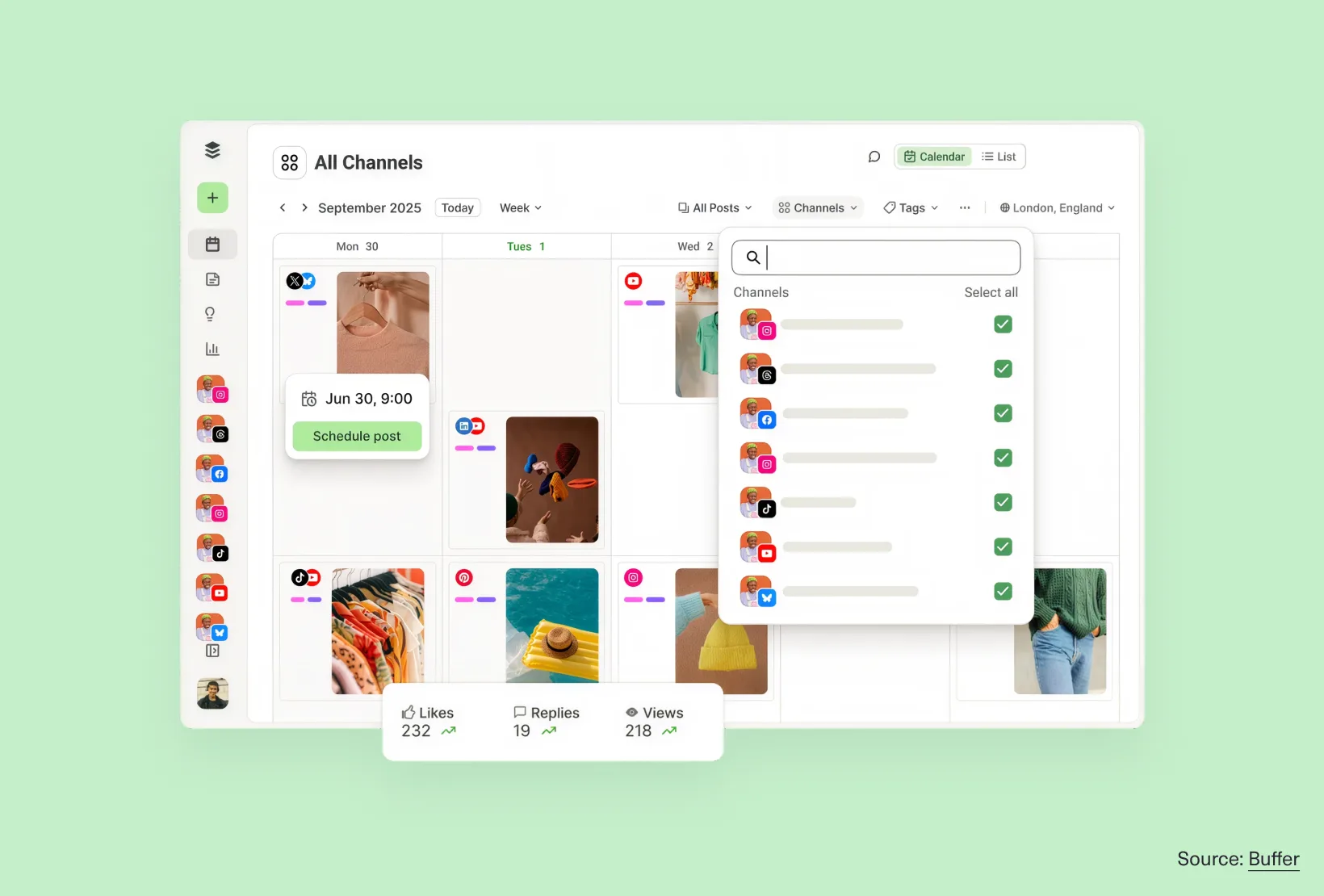
Buffer works with Instagram, Facebook, LinkedIn, TikTok, YouTube, Pinterest, Threads, Bluesky, Mastodon, X, and Google Business Profile.
Best for: Solo marketers and small teams who want simple scheduling without paying for extra features.
Tradeoff: If you need deeper reporting, brand monitoring, or advanced workflows, you may outgrow it.
Key features:
- Multi-channel publishing and scheduling
- Content planning and idea management
- Community inbox
- AI Assistant
- Analytics (paid plans)
- Team permissions and approvals (Team plan)
Pricing: Free plan available. Essentials starts at $5/month per channel, billed annually. Team starts at $10/month per channel, billed annually.
2. Later
Later is known for visual planning. It’s a strong pick for brands that care a lot about how their feed looks.
It supports Instagram, Facebook, Threads, Pinterest, TikTok, LinkedIn, YouTube, and Snapchat. Features include auto-publishing, a visual Instagram planner, Link in Bio, analytics, and suggested posting times.
Working with a team? The Growth plan adds post approvals, collaboration tools, a social inbox, UGC collection, and custom roles.
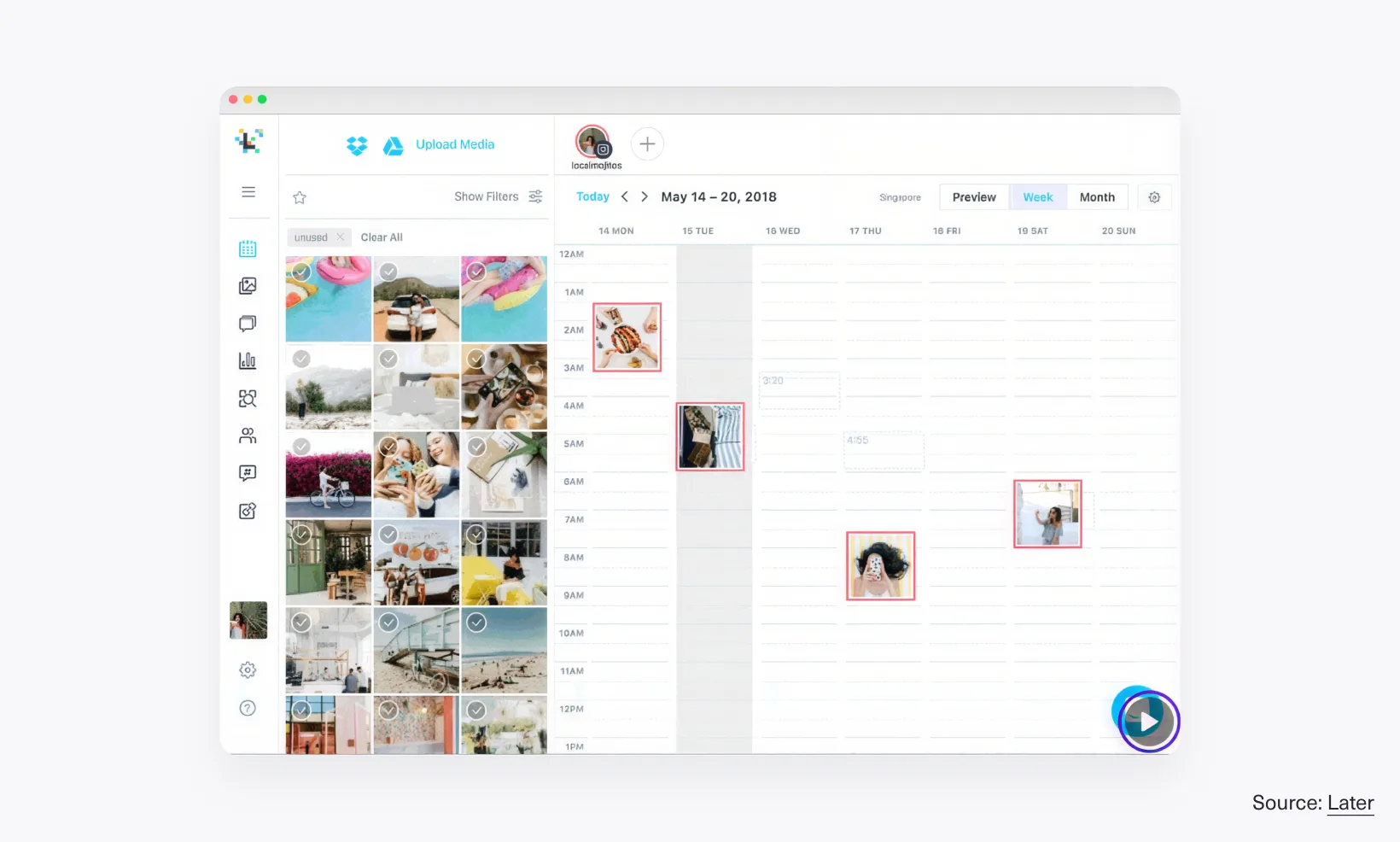
Best for: Small businesses with a visual-first strategy, especially on Instagram and TikTok.
Tradeoff: If you don’t need visual planning or Link in Bio, a simpler scheduler may give you better value.
Key features:
- Visual Instagram planner
- Multi-platform scheduling
- Link in Bio
- Recommended posting times
- Platform analytics
- AI caption and idea generator
- Collaboration and approvals (higher plans)
Pricing: Starter begins at $18.75/month, billed annually. Growth starts at $37.50/month, billed annually. Scale, built for enterprise-level analytics without an enterprise contract, starts at $82.50/month. A 14-day trial is available. Check how many social sets and users each plan includes before you choose.
3. Hootsuite
Hootsuite handles most day-to-day social media management in one place. Besides publishing, you can reply to comments, check analytics, monitor your brand and competitors, and create content with AI.
The Standard plan covers up to 10 social accounts and unlimited scheduled posts. It also includes a shared inbox, performance reports, recommended posting times, competitor benchmarking, and brand monitoring.
These extras matter more once social becomes a bigger part of your marketing and isn’t just one person’s side task.
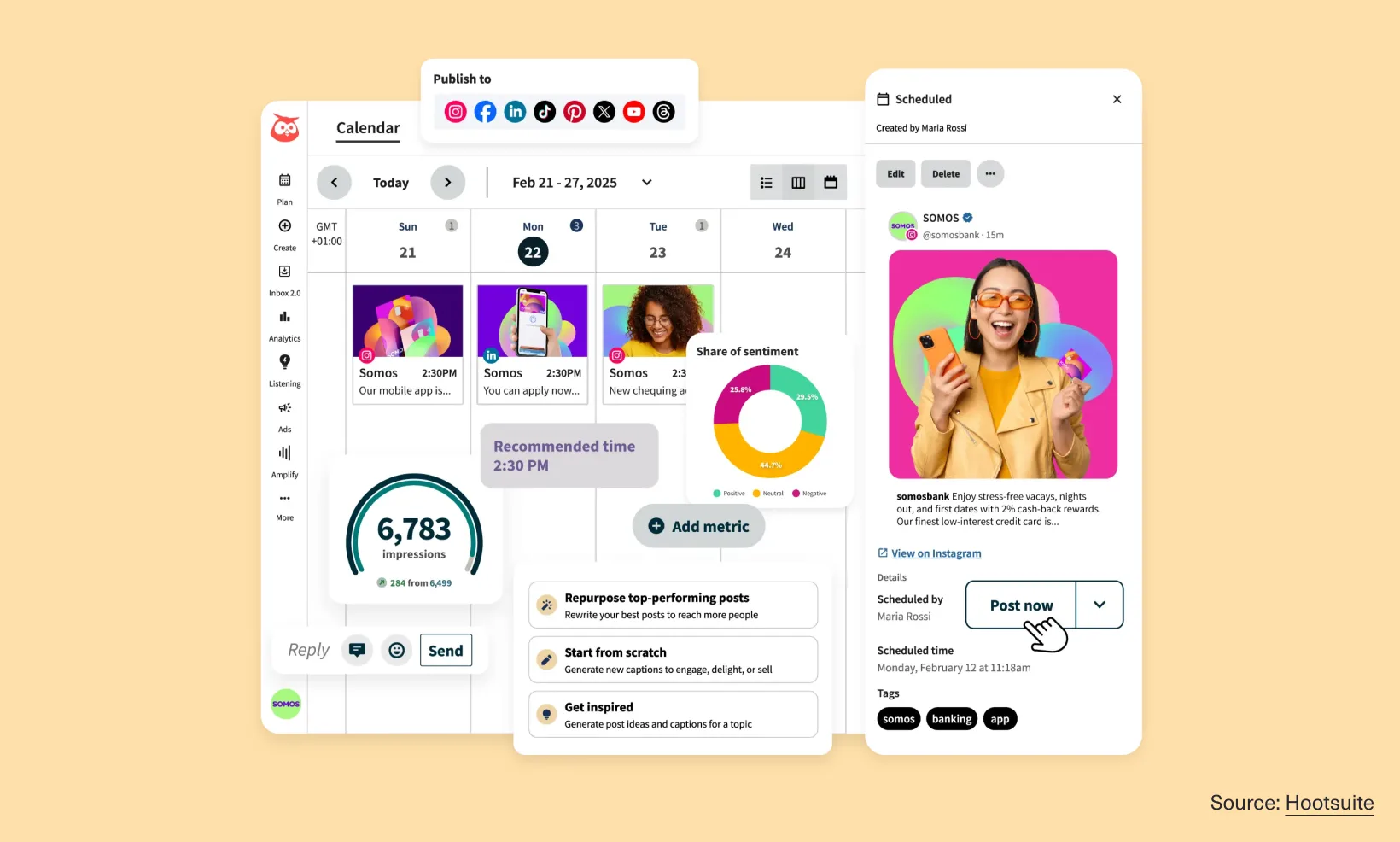
Source: Hootsuite
Best for: Growing businesses that want publishing, engagement, analytics, and monitoring in one platform.
Tradeoff: The price may be hard to justify for a very small team that only needs scheduling and basic reports.
Key features:
- Up to 10 social accounts (Standard)
- Unlimited scheduled posts
- Unified social inbox
- Analytics and reporting
- Competitor benchmarking
- Social listening
- AI content creation and insights
Pricing: Standard starts at $99/user/month. Professional starts at $199/user/month, with higher tiers for advanced workflows. A 14-day trial is available.
4. Sprout Social
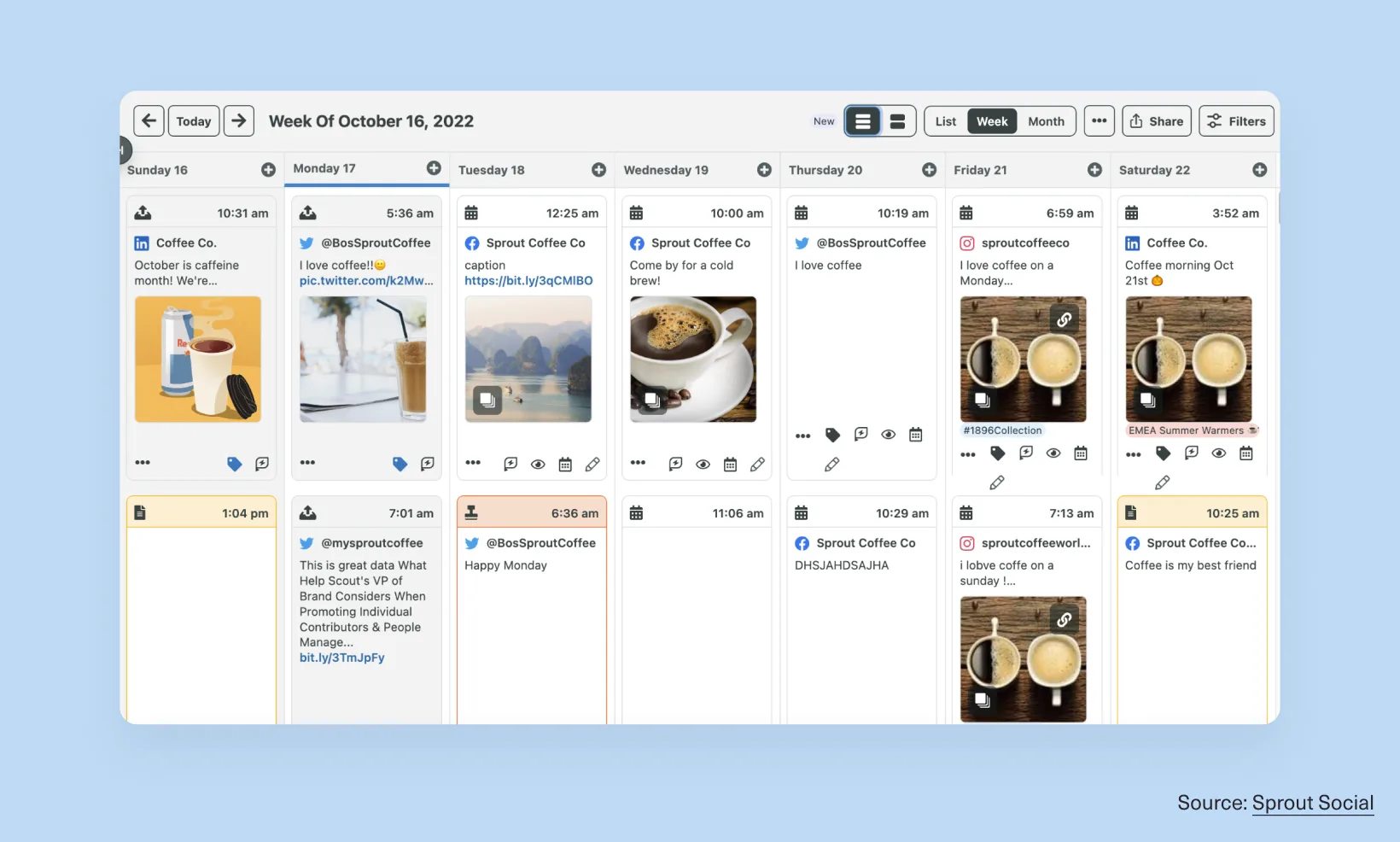
Sprout Social has the most features on this list. It’s one of the most complete social media marketing tools for teams handling a lot of activity, with publishing, engagement, reporting, and monitoring in one place.
The Essentials plan includes five social profiles, a content calendar, scheduling, recommended send times, AI-generated alt text, an image editor, and reporting.
Standard adds an all-in-one inbox, review management, keyword and location monitoring, and more reports. Higher plans add competitor reporting and advanced workflows.
If you only schedule a few posts a week, Sprout Social may be more than you need. For a growing team that spends real time on social and performance data, the extras can be worth it.
Source: Sprout Social
Best for: Growing marketing teams that need strong reporting, engagement tools, and team workflows.
Tradeoff: It’s a big expense if all you really need is scheduling.
Key features:
- Publishing and scheduling
- Shared content calendar
- Optimal send times
- Reporting and analytics
- Social inbox (Standard and up)
- Monitoring tools
- AI features
Pricing: Essentials starts at $79/seat/month, billed annually. Standard starts at $199/seat/month, billed annually. Higher tiers add advanced reporting and workflows.
More tools to make social content easier
The four platforms above help you plan and manage your channels. These tools handle smaller social media tasks, like design and video. Several have free versions, so they work well alongside your main platform.
Tailwind
Tailwind automates your Pinterest posting. If you publish blog posts or other long-form content often, it can share them to Pinterest for you on a schedule.
Canva
If you want to create your own social graphics, Canva is an easy place to start. It has plenty of ready-made templates and design tools, and the paid plan lets you upload your own fonts. If you need more unique, on-brand designs without creating them yourself, Design Force can help.
Inshot
Short-form video is a big part of social media, but simple edits don’t need a full video team. InShot makes quick editing easy and has a free version, although it includes a watermark.
Which social media management tool should you choose?
No single tool is best for every small business. Start with what takes up most of your time.
If you need... | Consider... |
Simple, budget-friendly scheduling | Buffer |
Visual planning for Instagram and TikTok | Later |
A broader social media workspace | Hootsuite |
More advanced reporting and team workflows | Sprout Social |
Before you sign up, list the channels you use and the tasks you want to make easier.
If scheduling is your biggest headache, you probably don’t need social listening or competitor tracking. If several people create and review content, look for approvals, shared calendars, and team permissions.
One of our top social media tips: don’t just compare feature lists. Test the free plan or trial with your real content for a week or two. You’ll quickly see if it fits how you work.
Make social media management easier
The right social media tools for business take repetitive work off your plate. Once that’s sorted, you still need a steady flow of strong creative to keep your channels active.
If your team is stretched thin, it can make sense to outsource social media graphic design. Design Force works as an extension of your team by creating on-brand social graphics so your team doesn’t take on more design production work.
Want more practical tips like these? Subscribe to our blog for the latest advice on design, content, branding, and marketing, delivered straight to your inbox.